Shutdown vs Sleep vs Hibernate
Shutdown completely turns off your computer, closing all programs and saving nothing in memory.
Sleep puts your computer in a low-power state where it can wake up almost instantly, keeping your work in memory. Hibernate saves everything to the hard drive and then powers off completely, combining the power savings of shutdown with the convenience of resuming where you left off. Each mode serves a different purpose depending on your situation.
What it looks like
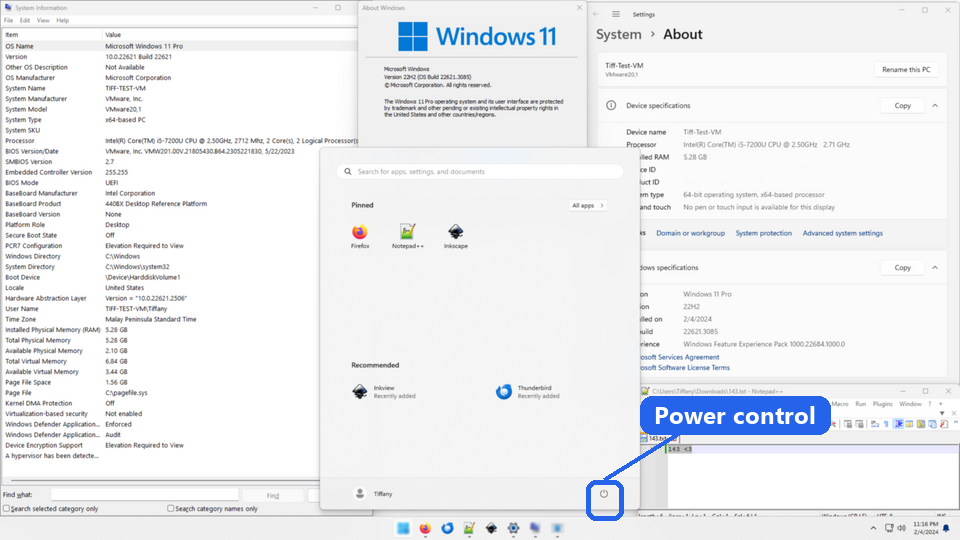
Shutdown vs Sleep vs Hibernate, explained at three levels
At home
Shutdown is like turning off a light: everything stops, and you start fresh next time. Sleep is like putting a book face-down to hold your place: your computer pauses but remembers exactly where you were. Hibernate is like putting a bookmark in your book and closing it: it saves your place to the hard drive and fully powers off. Choose based on whether you want speed, power savings, or a full reset.
At work
In a workplace, understanding these options helps employees manage their devices effectively. IT policies often recommend sleep mode for short breaks to maintain productivity, while overnight shutdowns help apply security updates and clear memory. Hibernate is useful for employees carrying laptops between meetings who need long battery life. Clear guidance on when to use each mode reduces help desk calls and improves device longevity.
At home
Shutdown terminates all processes, releases memory, and powers off all hardware components. Sleep mode keeps RAM powered while suspending most other components, using a small amount of electricity. Hibernate writes the contents of RAM to a hibernation file on the storage drive, then powers off completely. Resume time is fastest from sleep, moderate from hibernate, and slowest from a cold shutdown because the operating system must fully reload.
At work
Enterprise power management policies balance energy costs, security requirements, and user convenience. Group policies can enforce specific power states after periods of inactivity: for example, sleep after 15 minutes and hibernate after an hour. Wake-on-LAN capabilities allow IT to remotely wake sleeping or hibernating machines for overnight maintenance. Proper power state management across hundreds of devices can significantly reduce an organization's energy consumption.
At home
Traditionally, sleep mode corresponds to the ACPI S3 state, where RAM remains powered and the system context is preserved in volatile memory. Hibernate corresponds to S4, where the system context is saved to the hiberfil.sys file and all power is removed. Modern Windows also uses hybrid sleep, combining S3 with a hibernate file as a safety net against power loss. Many newer Windows laptops skip S3 entirely and use Modern Standby (S0 low-power idle), which keeps the network partly awake so notifications still arrive.
At work
At scale, power management strategy intersects with patch management, security compliance, and sustainability initiatives. Organizations must balance the need for machines to be available for overnight patching against energy reduction goals. Wake timers and scheduled tasks can bring hibernated machines online for maintenance windows. Power consumption telemetry across the fleet helps organizations meet environmental reporting requirements and identify devices with abnormal power profiles.
Real-world examples
At home
Sophie is stepping away from her laptop for a coffee break, so she closes the lid, which puts it to sleep. When she opens it fifteen minutes later, everything is exactly as she left it. Before going to bed, she chooses shutdown so her laptop gets a fresh start in the morning and uses zero power overnight.
At work
Thomas works from home and carries his company laptop to the office twice a week. Before commuting, he uses hibernate to save his open documents and browser tabs while fully powering down. When he opens his laptop at the office, everything resumes exactly where he left off without draining any battery during the commute.
How it compares
| Feature | Shutdown | Sleep | Hibernate |
|---|---|---|---|
| Power usage | None | Very low | None |
| Resume speed | Slowest (full boot) | Fastest (seconds) | Moderate (faster than boot) |
| Open work saved? | No, everything closes | Yes, in memory | Yes, saved to hard drive |
| Battery drain | None | Slow drain over time | None |
| Best for | Overnight or extended breaks | Quick breaks | Commuting or long breaks |
| Updates applied | Yes, often during shutdown | No | No |
Shutdown gives you a clean slate and zero power usage. Sleep offers instant resume for short breaks. Hibernate saves your work and uses no power, perfect for when you will be away for a while. Pick the mode that matches how long you will be away and whether you need to save your place.
For analysts
When writing requirements for devices that need long battery life (like field tablets or kiosks), specify the expected power management behaviour. Sleep might be fine for devices that are plugged in, but hibernate or scheduled shutdowns might be necessary for mobile devices. Make sure your testing scenarios include resume-from-sleep and resume-from-hibernate cases, since some applications do not handle these transitions gracefully.
History & origin
Early computers only had on and off states. Sleep mode, known as standby, appeared in laptops in the early 1990s as a way to conserve battery while allowing quick resume. Hibernate was introduced in the late 1990s as a solution for saving the complete system state to disk. The Advanced Configuration and Power Interface specification, established in 1996, standardized these power management states across the industry.