Plugin / Extension (Browser)
A browser plugin or extension is a small add-on that gives your web browser extra abilities.
They can block ads, manage passwords, check grammar, or change how websites look. You install them from your browser's extension store, and they work inside your browser without needing a separate application. Extensions are one of the easiest ways to customize your browsing experience.
What it looks like
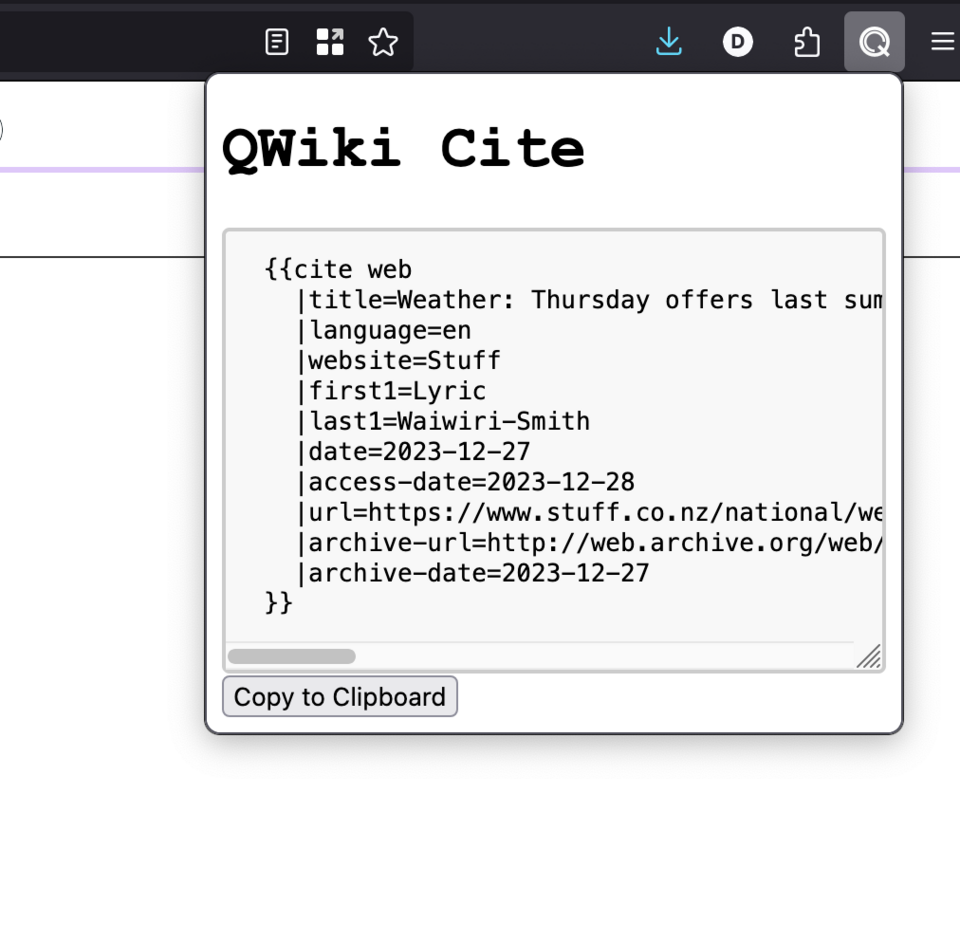
Plugin / Extension (Browser), explained at three levels
At home
Browser extensions are little add-ons that give your web browser new powers. For example, an ad blocker extension removes annoying ads from websites, and a password manager extension fills in your login details automatically. You install them from a store built into your browser, just like installing apps on your phone. They sit quietly in the background until you need them.
At work
In the workplace, browser extensions can boost productivity but also introduce security risks. Approved extensions like password managers and grammar checkers are valuable, while unapproved extensions may leak data or slow down browsers. IT departments often maintain a list of sanctioned extensions and block others through browser management policies. Evaluating an extension's permissions before installation is an important habit.
At home
Browser extensions are built using web technologies including HTML, CSS, and JavaScript. They interact with web pages through content scripts and with the browser through background scripts and APIs. Extensions declare the permissions they need, such as access to browsing history or the ability to modify web pages. The extension's manifest file defines its capabilities, permissions, and the conditions under which it activates.
At work
Enterprise browser management includes deploying mandatory extensions like security tools, blocking unauthorized extensions, and monitoring extension usage across the organization. Chrome Enterprise, Edge for Business, and Firefox Enterprise policies enable centralized extension governance. Extension supply chain attacks, where a trusted extension is compromised through an update, represent a growing security concern. Regular audits of installed extensions and their permissions help mitigate these risks.
At home
Technically, modern browser extensions use the WebExtensions API standard, which provides cross-browser compatibility between Chrome, Firefox, Edge, and Safari. Extensions run in isolated processes with defined permission boundaries. Content scripts operate in an isolated world within web pages, while background service workers handle event-driven logic. The Manifest V3 specification introduces stricter security controls, replacing persistent background pages with ephemeral service workers and limiting remote code execution.
At work
At the organizational level, browser extension governance is a critical component of endpoint security strategy. Extension risk assessment frameworks evaluate permissions, developer reputation, update frequency, and data handling practices. Enterprises increasingly treat browser extensions as part of the software supply chain, applying similar vetting processes as third-party software. Browser telemetry platforms can detect anomalous extension behavior, such as unexpected network requests or DOM manipulation patterns.
Real-world examples
At home
Mia installs a coupon-finding extension in her browser. Now, whenever she shops online, the extension automatically searches for discount codes and applies the best one at checkout. She saves money without any extra effort — the extension does the work in the background.
At work
Isaac, a content manager, installs a grammar-checking extension approved by his company's IT team. As he writes website copy in the browser, the extension highlights errors and suggests improvements in real time. It integrates with every text field on every website he uses, improving his writing quality across all platforms.
Common confusions
- It's tempting to think browser extensions are the same as old-style plugins like Flash. Modern extensions are built with standard web technologies and are much safer and lighter than legacy plugins.
- There's a widespread belief that all browser extensions are safe. Extensions can request extensive permissions, and malicious ones can steal data or inject unwanted content.
- A lot of people believe extensions slow down your browser significantly. Well-made extensions have minimal impact, though having too many installed at once can add up.
For analysts
If your project involves a web application, consider whether a companion browser extension could enhance the user experience. Extensions can add context menus, notifications, and data capture features that web apps alone cannot provide. However, building and maintaining extensions for multiple browsers adds development cost. Include browser extension scope in your initial requirements discussions to avoid scope creep later in the project.
History & origin
Browser plugins date back to the mid-1990s, when Netscape introduced NPAPI, allowing third-party software like Flash Player and Java to run inside web pages. Modern browser extensions emerged with Firefox's add-on system in 2004, followed by Google Chrome's extension platform in 2009. Today, extensions use standardized web technologies and run in sandboxed environments, and older plugin architectures like NPAPI have been retired for security reasons.