Factory Reset
A factory reset erases all your personal data, settings, and installed apps, returning your device to the exact state it was in when it left the factory.
It is the nuclear option for fixing persistent problems or preparing a device to be sold or given away. After a factory reset, you start from scratch — everything must be set up and reinstalled. It is a powerful tool that should be used only when other fixes have failed.
What it looks like
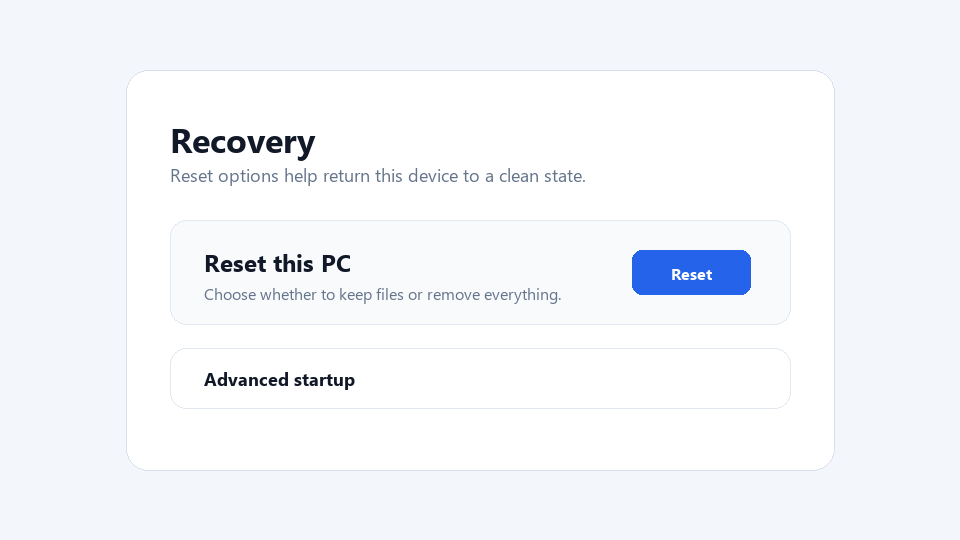
Factory Reset, explained at three levels
At home
A factory reset wipes your device clean and returns it to the way it was when you first bought it. All your photos, apps, accounts, and settings are removed. People use factory resets to fix major problems that nothing else can solve, or to prepare a device for a new owner. Before doing one, make sure to back up anything you want to keep, because once it is done, your data is gone.
At work
In business, factory resets are used to repurpose devices for new employees, resolve persistent technical issues, and ensure data is erased before disposing of old equipment. IT departments perform factory resets as part of device lifecycle management. Before resetting a business device, IT should verify that all data is backed up and that any required device management profiles can be reapplied. Standardized reset and setup procedures reduce turnaround time for device redeployment.
At home
A factory reset restores the operating system to its original configuration by either reimaging the storage drive from a recovery partition or resetting system files to their default state. Windows offers two reset options — Keep My Files, which preserves personal data while reinstalling the OS, and Remove Everything, which performs a full wipe. Mobile devices erase the data partition while keeping the system partition intact. Encrypted devices may simply discard encryption keys, rendering data unrecoverable.
At work
Enterprise factory reset procedures must comply with data sanitization standards, especially for devices that handled sensitive information. Simply resetting a device may not meet compliance requirements for data destruction in regulated industries. Organizations should use certified data wiping tools or physical drive destruction for high-security scenarios. Post-reset provisioning through zero-touch enrollment or autopilot deployment streamlines getting the device back into service.
At home
Technically, factory reset on modern devices involves restoring the OS from a recovery image, clearing user data partitions, resetting the registry or configuration database, and reinitializing first-run setup. On mobile platforms, factory reset protection mechanisms require the original account credentials to set up the device again, deterring theft. Secure erase implementations overwrite storage blocks to prevent data recovery, though the effectiveness varies between traditional hard drives and SSDs due to wear leveling and spare blocks.
At work
At the enterprise level, factory reset capabilities feed into device lifecycle automation, automated provisioning, and compliance reporting. Zero-touch provisioning systems like Windows Autopilot and Apple Business Manager allow freshly reset devices to automatically enroll in device management and install required software. Cryptographic erase, where encryption keys are destroyed rather than data overwritten, provides rapid sanitization for encrypted devices. Organizations track reset and reprovisioning metrics as part of IT operational efficiency measurements.
Real-world examples
At home
Ricardo is selling his old smartphone and wants to make sure his personal data is completely erased. He backs up his photos to cloud storage, then performs a factory reset through the phone's settings. The phone restarts as if it were brand new, with no trace of Ricardo's accounts, apps, or personal files.
At work
Mei, an IT technician, receives a returned laptop from an employee who left the company. She performs a factory reset to erase all personal and corporate data, then uses the company's automated setup tool to configure the laptop for a new employee. The entire process takes 45 minutes, and the new employee receives a freshly set up device on their first day.
Common confusions
- Some people are convinced that factory reset and restart are the same. A restart just turns the device off and on again, while a factory reset erases all your data and settings permanently.
- One common misunderstanding is that a factory reset is always the best fix. Many problems can be solved with less drastic measures like updating software, removing a specific app, or using System Restore.
- You might think a factory reset guarantees all data is irrecoverable. Sophisticated data recovery tools can sometimes retrieve data after a basic reset, so use secure erase for sensitive information.
For analysts
When documenting device management procedures, specify exactly when a factory reset is appropriate versus simpler fixes like System Restore or driver rollback. Over-resetting wastes time and frustrates users. For devices being retired or reassigned, define the required data sanitization level based on the sensitivity of data they handled. Include post-reset setup instructions so the device can be returned to service quickly without specialized knowledge.
History & origin
Factory reset capabilities became standard features in consumer electronics as devices grew more complex and user-modifiable. Early cell phones included reset options to restore original settings, and the concept expanded to smartphones, tablets, and computers. Modern operating systems like Windows, iOS, and Android offer built-in reset tools that can either keep or remove personal files while restoring system settings. Cloud backups have made factory resets less painful by allowing users to restore their data quickly afterward.