Driver (Device Driver)
A device driver is a small piece of software that lets your computer communicate with a specific piece of hardware, like a printer, graphics card, or keyboard.
Without the right driver, your computer would not know how to use that device. Think of it as a translator between your operating system and your hardware. Drivers are usually installed automatically, but sometimes you need to update them manually.
What it looks like
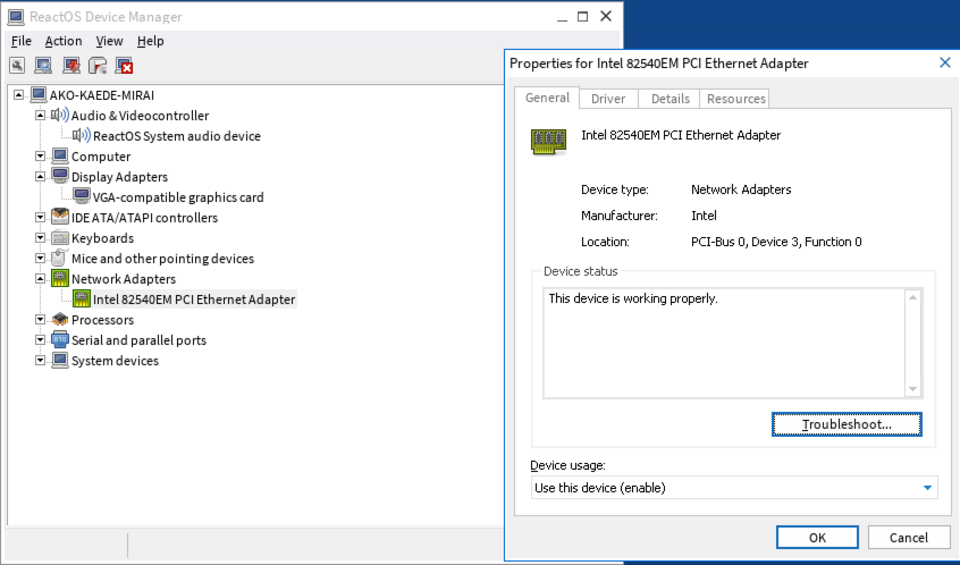
Driver (Device Driver), explained at three levels
At home
A driver is a small program that helps your computer talk to your hardware. When you plug in a new printer, your computer needs a driver to understand how to send print jobs to it. Most of the time, your computer installs drivers automatically when you connect something new. If a device is not working, installing or updating its driver is one of the first things to try.
At work
In a business setting, driver management is an important part of IT operations. Outdated or incompatible drivers can cause hardware malfunctions, printing failures, or display issues. IT teams maintain driver repositories and use deployment tools to push updated drivers to managed devices. When purchasing new hardware, verifying driver compatibility with the company's operating system version is a key step.
At home
Device drivers operate at the kernel level, sitting between hardware and the operating system's higher-level services. They translate generic OS commands into specific instructions that a particular hardware device understands. Drivers can be kernel-mode, which runs with full system privileges, or user-mode, which runs with restricted access for better stability. Driver signing ensures that only verified, trusted drivers are loaded by the operating system.
At work
Enterprise driver management involves maintaining a driver store with tested and approved versions, automating driver deployment during imaging and provisioning, and testing driver compatibility before OS upgrades. Windows Update for Business and WSUS can manage driver distribution, while third-party tools offer more granular control. Driver conflicts are a common root cause of system instability, especially after major OS updates.
At home
Technically, drivers interact with hardware through I/O ports, memory-mapped registers, interrupt handlers, and DMA channels. The Windows Driver Framework provides KMDF and UMDF models for developing stable, secure drivers. On Linux, drivers can be compiled into the kernel or loaded as modules. Driver debugging requires specialized tools like kernel debuggers, driver verifier, and hardware protocol analyzers.
At work
At the enterprise architecture level, driver management intersects with hardware lifecycle management, OS migration planning, and security compliance. Driver vulnerabilities represent a significant attack surface since kernel-mode drivers execute with the highest privilege level. Organizations maintain hardware compatibility lists tied to approved driver versions. Automated driver testing in CI/CD pipelines ensures that firmware and driver updates do not introduce regressions across the device fleet.
Real-world examples
At home
Nadia buys a new wireless mouse and plugs its USB receiver into her laptop. Windows automatically searches for and installs the correct driver within seconds. The mouse works immediately, and Nadia does not have to do anything — the driver handled the translation between her new mouse and the operating system.
At work
Ethan, a desktop support technician, troubleshoots a user's second monitor that is not displaying properly. He checks Device Manager, finds the display driver is outdated, and downloads the latest version from the manufacturer's website. After updating the driver, the monitor works perfectly at its full resolution.
Common confusions
- Many people assume drivers are only needed for printers. Almost every hardware component in your computer, from the graphics card to the Wi-Fi adapter, uses a driver.
- It's often assumed that you never need to update drivers. Driver updates can fix bugs, improve performance, and add compatibility with new software.
- It's a popular misconception that driver issues mean hardware is broken. Most hardware problems caused by drivers can be resolved with an update or reinstallation, no repair needed.
For analysts
When specifying hardware requirements for a project, always confirm driver availability for your target operating system and version. This is especially critical for specialized peripherals like barcode scanners, industrial printers, or custom input devices. Include driver compatibility in your acceptance criteria and test with the actual hardware during user acceptance testing. A perfectly good device is useless if the driver does not work in your environment.
History & origin
Device drivers have existed since the earliest days of computing, when each piece of hardware required custom code to communicate with the operating system. In the 1990s, plug-and-play technology began automating driver installation, reducing the burden on users. Modern operating systems like Windows, macOS, and Linux maintain extensive driver databases and can automatically download the correct driver when new hardware is connected.