Virtual Machine
A virtual machine is a software-based computer that runs inside your actual computer.
It behaves exactly like a real computer — it has its own operating system, storage, and applications — but it exists entirely as software. Virtual machines let you run Windows on a Mac, test risky software safely, or run multiple servers on a single physical machine. They are one of the most powerful and widely used tools in modern computing.
What it looks like
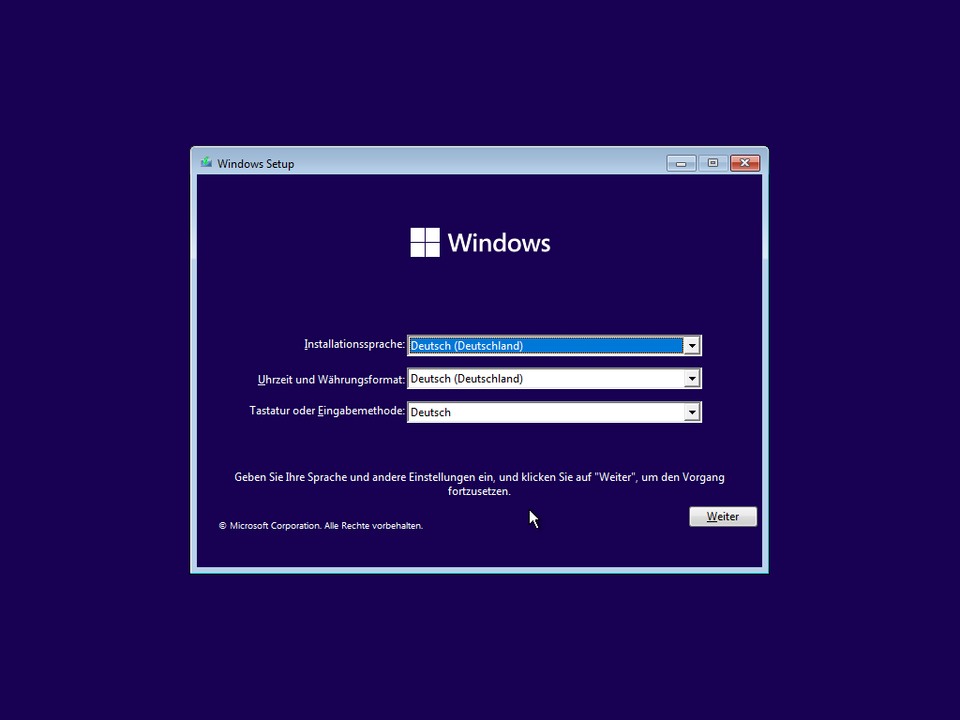
Virtual Machine, explained at three levels
At home
A virtual machine is like a computer inside your computer. It looks and behaves just like a real one, but it is made entirely of software. You can use it to run a different operating system — like running Windows on a Mac — or to test software without risking your main computer. If something goes wrong inside the virtual machine, it does not affect your real computer at all.
At work
In business, virtual machines are used to run multiple server workloads on fewer physical machines, saving money on hardware and energy. Development teams use VMs to test software in different operating system configurations without needing separate physical machines. IT departments provide virtual desktops to employees, allowing them to access a standardized work environment from any device. VMs also simplify disaster recovery because they can be backed up and restored as single files.
At home
A virtual machine is created by a hypervisor, which is software that divides a physical computer's resources — CPU, memory, storage, and network — among multiple VMs. Each VM gets its own allocated share of these resources and runs its own operating system, called a guest OS. The physical computer running the hypervisor is called the host. VMs are isolated from each other, so a crash in one VM does not affect the others.
At work
Enterprise virtualization strategy involves choosing between Type 1 hypervisors that run directly on hardware, like VMware ESXi and Microsoft Hyper-V, and Type 2 hypervisors that run on top of an existing operating system, like VirtualBox. Capacity planning ensures physical hosts have enough resources for their VM workloads. VM sprawl — the uncontrolled proliferation of virtual machines — is a common management challenge that increases costs and security risks.
At home
Technically, hypervisors use hardware-assisted virtualization features in modern CPUs, such as Intel VT-x and AMD-V, to efficiently run guest operating systems. VM memory management includes techniques like memory ballooning and transparent page sharing to optimize resource usage. Storage virtualization uses thin provisioning and snapshots to manage VM disk images efficiently. Network virtualization creates virtual switches and network adapters that connect VMs to each other and to external networks.
At work
At the infrastructure level, virtualization is the foundation of cloud computing and modern data center architecture. Organizations implement software-defined infrastructure where compute, storage, and networking are all virtualized and managed through automation. VM lifecycle management includes automated provisioning, patching, compliance scanning, and decommissioning. Container technologies like Docker have emerged alongside VMs, offering lighter-weight virtualization for application deployment, with many organizations using both containers and VMs in complementary roles.
Real-world examples
At home
Nathan wants to try Linux but does not want to replace Windows on his computer. He installs VirtualBox, creates a virtual machine, and installs Linux inside it. Now he can run Linux in a window on his Windows desktop, experimenting freely. If he breaks something in the VM, he deletes it and creates a new one in minutes.
At work
Simone, a software developer, needs to test her company's application on three different operating systems. Instead of maintaining three physical computers, she creates three virtual machines on her workstation — one running Windows 10, one running Windows 11, and one running Ubuntu. She can test all three environments from a single desk, switching between them in seconds.
Common confusions
- Many people assume virtual machines are slow. Modern virtualization technology provides near-native performance for most workloads, thanks to hardware-assisted virtualization.
- It's a common myth that VMs are only for servers. Individuals use VMs every day for software testing, running different operating systems, and learning new technologies safely.
- It's a popular misconception that virtual machines and cloud computing are the same thing. Cloud computing uses virtual machines as one of its building blocks, but the cloud also includes many other services and abstractions.
For analysts
Virtual machines are incredibly useful for requirement validation and testing. Instead of requesting dedicated test hardware for every environment your application needs to support, use VMs to create those environments on demand. You can snapshot a VM before testing, run your tests, and revert instantly if something breaks. Include VM-based testing environments in your project plan to reduce hardware costs and accelerate testing cycles.
History & origin
Virtual machines were first developed by IBM in the 1960s to allow multiple users to share a single mainframe computer. The concept remained mostly in the enterprise space until the 2000s, when VMware and later VirtualBox made virtualization accessible to individual users. The rise of cloud computing brought VMs to the forefront, as services like Amazon Web Services and Microsoft Azure run millions of virtual machines to power the modern internet.